Prices and privacy labels checked October 2026
Best ADHD Apps for Adults (2026): Free and Paid Picks
If you have ADHD, you probably have a folder of apps you downloaded with high hopes and stopped opening a week later. That usually isn't a willpower problem. Most apps add setup, accounts, and upkeep to a brain that's already short on executive function. This guide sorts the best ADHD apps for adults by the one problem each solves, lists what they actually cost after the trial, shows what their App Store privacy labels say, and gives you a straight answer on whether ADHD apps help at all.
Skip ahead: compare every app's price and privacy label →
Table of Contents +
🎯 Quick Summary (TL;DR)
- Pick by problem: a task breaker if you can't start, a visual timer or planner if time slips away, a body doubling app if you work better with company, and a CBT program if you want to learn skills rather than get reminders
- Be realistic about evidence: a 2025 review of 26 systematic reviews found digital ADHD interventions promising but still unproven, mainly because the studies are weak (Gabarron et al., BMC Psychiatry)
- Check the real price: stacking Todoist Pro, a Focusmate plan, and Inflow costs about $41 a month, even at the cheapest month-to-month price listed for each
- Check the privacy label: 4 of the 10 App Store listings we read say they use data to track you across other companies' apps and websites
- Start small: one app, one problem, two weeks. If it isn't helping by then, swap it rather than adding a second
How to Choose an ADHD App That Actually Sticks
Choose the app that removes the most friction from your single biggest problem, then stop shopping. That sounds obvious, but most "best ADHD apps" lists push the opposite: fifteen apps, no guidance on which one fits you, and no mention of what happens to your data or your bank balance. Before you download anything, run it through four quick checks:
- Does it solve one specific problem? "Productivity" is not a problem. "I can't start the email," "I lose three hours without noticing," and "I forget renewals until I'm charged" are problems.
- How many steps before it's useful? Every signup screen, tutorial, and settings page is a chance to stall. The best app for an ADHD brain is useful within a minute.
- What does it cost after the trial? Many ADHD apps open with a free trial that rolls into a subscription. Check the price before you're attached to it.
- What data does it need? A timer doesn't need your name, location, or mood history. If an app asks for more than its job requires, that's worth noticing.
Which problem is loudest for you often depends on your ADHD presentation. If your ADHD is mostly inattentive ADHD, starting tasks and losing track of time are common sticking points. If impulsivity is stronger, spending and switching tasks may matter more. Many adults are also building these systems on their own. According to CDC/NCHS Data Brief No. 543 (December 2025), 55.9% of the roughly 15.5 million US adults with an ADHD diagnosis were first diagnosed at 18 or older. That's long after anyone helped them set up routines at school.
If you only want free tools that work without an account, start with our guide to free ADHD focus tools. This page covers the wider market, paid apps included. A note on fairness: we make several of the free browser tools below (OneStep, TimeBlind, FocusWall, BrainYap, WantItLater, SubShield, WearToday, and DopMenu), and we say plainly what they don't do.
Looking for something for a child? See our separate guide to free ADHD tools for kids. Everything below is written for adults.
Best ADHD Apps for Getting Started on Tasks
If you stall at the start, use an app that breaks tasks down before it tracks them. A long to-do list doesn't help when the problem is that "clean the kitchen" or "do taxes" feels like one huge, shapeless block. What helps is making the first step small enough that starting stops feeling like a decision.
Goblin Tools (Magic ToDo)
Paste a task and it splits it into steps, with a "spiciness" slider for how much detail you want. The goblin.tools website is free, has no ads, and doesn't require an account. The official iOS app costs $1.99 up front, with an optional Pro plan at $3.99 a month or $39.99 a year. Search carefully: the App Store listing itself warns about "unofficial copycats," and several lookalike apps use the name. Our guide to free ADHD focus tools (linked above) has a longer Goblin Tools review.
OneStep
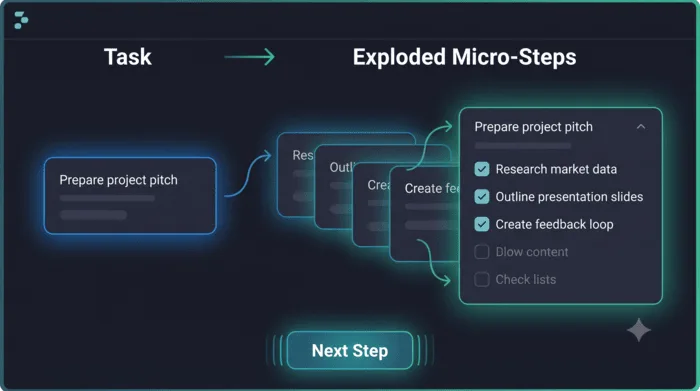
Shows you only the next micro step, not the whole list, which is the point when a full breakdown still feels like too much. Break a task into one small step in the browser, free, with no account and no App Store download. Your list is saved only in this browser, so it doesn't sync across devices. To generate steps, the task you type is sent through our server to Google's Gemini AI. If that's unavailable, it falls back to simple rules that run on your device.
Todoist
A general to-do app rather than an ADHD app, but one people with ADHD mention again and again. Its strength is fast capture: type "pay rent every 1st" and it sets the recurring date. It won't break tasks down for you. Free, with Pro at $6.99 a month or $59.99 a year on the App Store.
TickTick
Another mainstream to-do app that comes up constantly in r/ADHD threads, mostly because it bundles tasks, reminders, a calendar view, a habit tracker, and a focus timer in one place. Fewer apps to juggle is a real advantage. Free, with Premium at $4.99 a month or $49.99 a year.
Free ADHD task management apps
If you want a free ADHD to-do list app, the honest ranking is: the goblin.tools website or OneStep for breaking tasks down, and the free tier of Todoist or TickTick for keeping a list. The free tiers of both list apps cover what most people need. For capture, typing is often the bottleneck. If your thoughts move faster than your thumbs, talk your to-do list out instead of typing it with BrainYap, which sorts what you say into tasks, ideas, and reminders. Its smarter sorting, which is on by default, sends your transcript through our server to Google's Gemini AI. You can switch it off in its settings. Voice input uses your browser's built-in speech recognition, which in some browsers is processed on the browser maker's servers.
Best ADHD Apps for Time Blindness and Planning
Time blindness is easier to work around when time is visible, so pick a visual timer or a visual planner, not another list. This is a measurable difficulty, not a character flaw. A 2023 review of a decade of research (Mette, International Journal of Environmental Research and Public Health) found that adults with ADHD have real trouble estimating, reproducing, and managing time intervals. A clock you have to remember to check doesn't help much with that. A timer that shrinks in front of you puts the passing time where you can see it.
TimeBlind
A visual timer that shows time shrinking, with color shifts as time runs low and optional chimes. Focus Session, Pomodoro, and Passive Day Arc modes. Free in the browser, no account.
Tiimo
A visual daily planner built for neurodivergent people, laying out your day as colorful blocks with icons and timers. There's a free version. The App Store lists Pro subscriptions between $7 and $54 depending on plan length. Our guide to free ADHD focus tools (linked above) reviews Tiimo in more depth.
Llama Life
Timeboxing for your to-do list: give each task a countdown and work through them one at a time, with chimes as each ends. Good if you underestimate how long things take. Subscription only, from $4 to $6 a month or $39 a year on the App Store.
Structured
A visual timeline that merges your calendar and tasks into one scrolling day, useful if you need a calendar app for ADHD that shows gaps and overlaps at a glance. Free, with Pro plans listed from $2.99 a month, $9.99 to $39.99 a year, or $99.99 for lifetime access.
A planner app only helps if you open it, so pair it with something that interrupts you. If you choose a planner, set its notifications for transitions (five minutes before a meeting, not at the start), and use a visual timer for the block you're in.
Best ADHD Apps for Focus, Distraction, and Body Doubling
If you work better with company, try a body doubling app. If your phone is the distraction, block it at the source. Those are two different problems, and the apps for each are very different.
Focusmate
The best known body doubling app for ADHD: you book a 25, 50, or 75 minute video session with a stranger, say what you'll work on, and work in silence with your cameras on. Focusmate's pricing page lists a free plan of 3 sessions per week, and unlimited sessions for $8 a month billed annually or $12 billed monthly. It needs an account. Some app lists say the free plan is 3 sessions a month, but the official page says per week.
Forest
Plant a virtual tree that grows while you stay off your phone and dies if you leave the app. Simple and motivating if a little guilt works for you. Free to download, with in-app purchases and a subscription listed at $5.99 a month or $35.99 a year.
Opal
Blocks distracting apps on a schedule or for a focus session, with "deep focus" sessions that are hard to cancel. The basic version is free. Its paid plans are among the most expensive here: $4.99 a week, $19.99 a month, or $99.99 a year on the App Store.
FocusWall
Replaces every new browser tab with your one current task, full screen. Keep your one task on every new tab so the reflex to open a tab lands you back on your work instead of a news feed. Free, no account. It isn't live co-working, so pair it with a body doubling session if company is what you need.
Be clear on the evidence for body doubling. ADDA states plainly that there is no research proving it works, only a lot of people reporting that it helps. Treat it as a cheap experiment: the free tier is enough to find out whether it works for you. And if your problem is focus that locks on too hard rather than too little, read about what ADHD hyperfixation actually means before adding a blocker.
Best ADHD Apps for Building Skills (CBT and Coaching Apps)
Structured programs like Inflow teach skills based on cognitive behavioral therapy (CBT) instead of only reminding you of things. They are also the most expensive apps on this list, and their evidence is thinner than their marketing suggests.
The approach behind them has real support. A 2023 meta-analysis of 28 studies found that CBT for adults with ADHD reduced both core ADHD symptoms and emotional symptoms (Liu et al., Psychology and Psychotherapy, 2023). That research was mostly on CBT delivered by therapists, though. Whether an app can deliver the same benefit is a separate question.
Inflow
A program for adult ADHD built on CBT, with structured lessons, daily challenges, and a peer community. Free to download with a trial. Its App Store listing shows monthly plans from $22.49 to $47.99 (the top tier includes coaching) and annual plans from $95.99 to $199.99.
Numo
A lighter ADHD app built around a community, with short educational content, a planner, and group chats, with a more casual tone than Inflow. Subscriptions are listed from $7.99 to $15.99 a month, or $59.99 a year with a 14 day trial.
When we checked on October 4, 2026, Google's AI Overview for the search "adhd apps for adults" listed Inflow under "Best Overall for Coping & Education," and several app lists feature it near the top. Here is what its published evidence actually is. In a 2022 study, 241 US adults were recruited from Inflow's own waitlist, 205 enrolled in the app, and 108 completed the final survey at week 7, a retention rate of 52.7%. Those who stayed reported fewer symptoms. But the study had no control group, and two of the four authors are Inflow's co-founders with an ownership interest in the company (Knouse, Hu, Sachs & Isaacs, PLOS Digital Health, 2022). The authors themselves say a randomized controlled trial is needed to tell whether Inflow helps beyond what they call "non-specific factors."
Source: Knouse, Hu, Sachs & Isaacs, PLOS Digital Health, 2022. Open trial with no control group; participants recruited from Inflow's waitlist; results are from people who stayed to week 7; two authors are Inflow co-founders.
That doesn't make Inflow a bad app. It may suit you well, especially if you want structure and a community. But at up to $47.99 a month, you should know that "science-based" here means "built on CBT principles," not "proven in a controlled trial." A therapist trained in adult ADHD offers something different again: most of the CBT research is on programs delivered by clinicians, and we found no trial comparing that head to head with a consumer app like Inflow.
Best ADHD Apps for Money, Impulses, and Daily Admin
The cheapest ADHD win is often stopping money from leaking out through impulse buys and forgotten subscriptions. These problems rarely make "best ADHD apps" lists, but they cost real money every month, and they respond well to small amounts of friction.
- Impulse buys: put a 48 hour cooldown before you buy with WantItLater. Add the item, and come back when the timer ends. If you still want it, buy it. Often you won't.
- Forgotten subscriptions: track renewals before they bill with SubShield, including every free trial you start while testing apps from this list.
- Morning decisions: WearToday picks an outfit from your own wardrobe, so the first decision of the day is already made.
- Doomscrolling breaks: DopMenu helps you build a menu of better breaks ahead of time, so you have something to reach for that isn't your phone.
If you're searching for a budgeting app for ADHD, mainstream budgeting apps can track spending once it's happened. A cooldown tackles the impulsive part before the money leaves.
Do ADHD Apps Actually Help? What the Research Says
Apps can help as outside support for executive function, but none of the everyday apps in this guide has strong evidence that it treats ADHD, and most of the research that exists is on other kinds of digital tools or on children. That is the honest answer to a question Google shows in its "People also ask" box for this search, and almost no app list gives it.
Prescription digital therapeutics are a separate category: they are tested in clinical trials and regulated as medical devices. In June 2020, the FDA authorized EndeavorRx, a video game treatment, to improve attention in children aged 8 to 12 with ADHD (FDA De Novo decision DEN200026). The productivity and planning apps adults usually mean by "ADHD apps" have not gone through anything like that.
The broadest look so far is a 2025 review of 26 systematic reviews of digital ADHD interventions, covering video games, computerized cognitive training, virtual reality, and apps. Together those reviews included 34,442 participants, most of them children and adolescents. The authors found positive effects such as better attention and executive function, "though evidence was generally low quality," and concluded that effectiveness "remains inconclusive due to low evidence quality." Adverse effects were reported in 8 of the 26 reviews, including physical discomfort, emotional reactions, and video game addiction (Gabarron, Denecke & Lopez-Campos, BMC Psychiatry, April 2025).
Two narrower reviews point the same way. A 2025 review of 14 studies on ADHD apps concluded that apps "can potentially be adjunctive instruments" for treating ADHD but need research over longer periods (Hosseinnia et al., Frontiers in Public Health, 2025). Another team screened 829 ADHD apps in the Apple and Google stores, found only 17 that met their criteria, and rated their overall quality as "moderate." Most were built for education and self-management (Jin, Firdaus & Zhang, Journal of Education and Health Promotion, December 2025).
What that means in practice:
- Treat any app as a tool, not treatment. It can hold a list or show you time passing. It can't diagnose or treat ADHD.
- Judge an app by what it does for you, not by its claims. "Science-backed" and "clinically designed" usually describe how an app was built, not proof that it works.
- Keep medication and therapy decisions with a clinician. If you're still working toward a diagnosis, here's how an adult ADHD assessment works, step by step.
There's also a reason apps get abandoned that has nothing to do with whether they work. New things are rewarding for an ADHD brain, so a fresh app feels great for a week, then fades. Our article on why new apps feel exciting for a week, then don't explains what's going on. The practical rule we suggest is simple: one app per problem, minimal setup, and a two week trial before you add anything else. That's a rule of thumb, not a research finding, but it stops the cycle of downloading your way out of a problem.
ADHD Apps and Your Privacy: Prices and Labels Compared
The safest health data is data an app never collects. For anything involving symptoms, moods, or medication, prefer apps that work without an account, and read the App Store privacy label before you type anything personal.
This isn't a hypothetical risk in the ADHD space. In April 2024, the Federal Trade Commission announced a proposed order requiring Cerebral, a telehealth company that prescribed ADHD medication, to pay more than $7 million to settle charges over its data sharing and its cancellation practices. The FTC said Cerebral had shared sensitive information from nearly 3.2 million consumers with third parties such as LinkedIn, Snapchat, and TikTok through tracking tools on its website and apps. The order would also ban Cerebral from using health information for most advertising (FTC, April 15, 2024).
Mental health apps as a group have a poor record. When the Mozilla Foundation reviewed top mental health apps in 2023, 59% received its "Privacy Not Included" warning label, and 40% had gotten worse than the year before (Mozilla Foundation, May 2, 2023).
Source: Mozilla Foundation, Privacy Not Included review of mental health apps, May 2, 2023.
How to read an App Store privacy label in 30 seconds
Scroll to "App Privacy" on any App Store listing. The label has up to three boxes. Data Used to Track You means the app may link data about you with other companies' data for targeted advertising, or share it with a data broker: for an app that touches your health, that's the one to look at first. Data Linked to You is data tied to your identity through your account, device, or other details. Data Not Linked to You is collected with those identifiers stripped. Keep in mind the label is filled in by the developer, and Apple's own guidance tells developers they are "responsible for keeping your responses accurate and up to date."
Every app in this guide, compared
We read each app's US App Store listing and copied its prices and privacy label as published on October 4, 2026. For web apps without a listing, we used the developer's own website. Prices change often, so check before you subscribe.
| App | Best for | Price (US) | Data used to track you | Data linked to you |
|---|---|---|---|---|
| Goblin Tools | Breaking tasks down | Web free; iOS $1.99, Pro $3.99/mo | None listed | None listed |
| Todoist | To-do lists | Free; Pro $6.99/mo or $59.99/yr | None listed | Contact info, identifiers, usage, content |
| TickTick | To-do lists and reminders | Free; Premium $4.99/mo or $49.99/yr | None listed | Contact info, identifiers, content |
| Tiimo | Visual planning | Free; Pro listed $7 to $54 | Identifiers | Contact info, identifiers, usage, content |
| Llama Life | Timeboxing tasks | $4 to $6/mo or $39/yr | None listed | Contact info, identifiers, usage |
| Structured | Calendar and tasks in one view | Free; Pro from $2.99/mo, $99.99 lifetime | None listed | Email, content |
| Focusmate | Body doubling | 3 free sessions/week; $8 to $12/mo | Web app; account required (no App Store label) | |
| Forest | Staying off your phone | Free; $5.99/mo or $35.99/yr | Contact info, usage data | Purchases, contact info, identifiers, usage, diagnostics |
| Opal | Blocking distracting apps | Free; $4.99/wk, $19.99/mo, $99.99/yr | Identifiers | Purchases, contact info, content, identifiers, usage |
| Inflow | Skills program built on CBT | $22.49 to $47.99/mo; $95.99 to $199.99/yr | Usage data | Coarse location, contact info, content, identifiers, sensitive info |
| Numo | ADHD community and planner | $7.99 to $15.99/mo or $59.99/yr | None listed | None listed |
| TimeBlind, FocusWall, WantItLater, SubShield | Time, focus, money | Free | Browser tools, no account; data stays in your browser (no App Store listing) | |
| OneStep, BrainYap | Starting tasks, capturing thoughts | Free | Browser tools, no account; lists saved only in your browser, but text you submit is sent through our server to Google's Gemini AI (on by default in BrainYap, which lets you turn it off) | |
Sources: each app's US App Store listing (privacy labels are completed by each developer), the official Focusmate pricing page, and goblin.tools, all checked October 4, 2026. App Store price ranges include every plan length listed.
Two things stand out. First, 4 of the 10 App Store listings we read (Tiimo, Forest, Opal, and Inflow) say they use some data to track you across other companies' apps and websites. Inflow, the app here most likely to hold details about your symptoms, is also the only one whose label lists "Sensitive Info" as data linked to you. That isn't proof of misuse, but it's worth knowing before you log symptoms in it. Second, costs add up fast. Stack a paid to-do app, a body doubling plan, and a CBT program, and even the cheapest month-to-month price listed for each (Todoist Pro at $6.99, Focusmate at $12, Inflow at $22.49) comes to about $41 a month, or roughly $500 a year.
ZeroLoginFocus makes the browser tools in the last two rows. They run without an account and save your data in your own browser. Two of them, OneStep and BrainYap, send the text you submit through our server to Google's Gemini AI to generate steps or sort items, and BrainYap lets you turn that off. None of them sync between devices, offer live co-working, or teach CBT skills. If you need any of those, one of the paid apps above is the better pick.
The Takeaway
- Choose an ADHD app by the one problem you most need solved, not by how many features it has.
- Try one app at a time, keep setup minimal, and give it two weeks before you add another.
- Check the price after the trial and the App Store privacy label before you download.
- Treat apps as scaffolding, not treatment: the research on digital ADHD tools is promising but still weak.
One caution: if you're already running on empty, don't add a new system right now. Our guide for when you're already in ADHD burnout explains why subtracting comes before adding. When you're ready, start with the free tool that matches your biggest problem from all eight free, no signup tools, and see our guide to free ADHD focus tools and strategies for how each one fits into a daily routine.
Frequently Asked Questions
Do any ADHD apps actually help?
They can help as outside support for executive function, but none of the everyday apps in this guide has strong evidence that it treats ADHD. A 2025 review of 26 systematic reviews covering 34,442 participants found some positive effects from digital ADHD interventions, but concluded that their effectiveness 'remains inconclusive due to low evidence quality' (Gabarron, Denecke and Lopez-Campos, BMC Psychiatry). Most of that research was in children. The practical answer: use an app to take a specific job off your brain, such as starting a task or seeing time pass, and judge it by whether you are still using it after two weeks.
What is the best free ADHD app for adults?
It depends on the problem you want to solve. For starting tasks, the goblin.tools website is free and needs no account, and OneStep is free in the browser. For time blindness, TimeBlind is a free visual timer that runs in the browser. For body doubling, Focusmate's free plan includes 3 sessions per week. Pick the one that matches your biggest daily problem rather than collecting several.
Are ADHD apps safe to use with my health information?
Be careful. In 2024 the FTC announced a proposed order requiring Cerebral, a telehealth company that prescribed ADHD medication, to pay more than $7 million to settle charges that included sharing sensitive data from nearly 3.2 million consumers with platforms such as LinkedIn, Snapchat, and TikTok through tracking tools. Before entering moods, symptoms, or medication details into any app, read its App Store privacy label, check whether it needs an account, and prefer tools that keep data on your device.
Can an app replace ADHD medication or therapy?
No. Apps are tools, not treatment. Even apps built around CBT exercises have limited research behind them, and none are a substitute for a clinician's assessment, therapy, or medication management. If you take ADHD medication, keep decisions about dose and timing with your prescriber. An app works best alongside treatment, handling the daily logistics that treatment doesn't.
Why do I keep abandoning ADHD apps?
Two reasons usually stack up. New apps are novel, and novelty is rewarding for an ADHD brain, so the first week feels great and then the shine wears off. Most apps also need setup and upkeep: accounts, categories, tags, and syncing. Once maintaining the app takes more effort than the problem it solves, you stop opening it. Use one app per problem, keep setup minimal, and give each app two weeks before adding another.
Start With One Problem, Not Five Apps
OneStep breaks your next task into one small step, right in your browser. No signup, no email. Your list is saved in your browser, and steps are generated by Google's Gemini AI through our server. If starting is your biggest problem, it's the shortest path from stuck to moving.